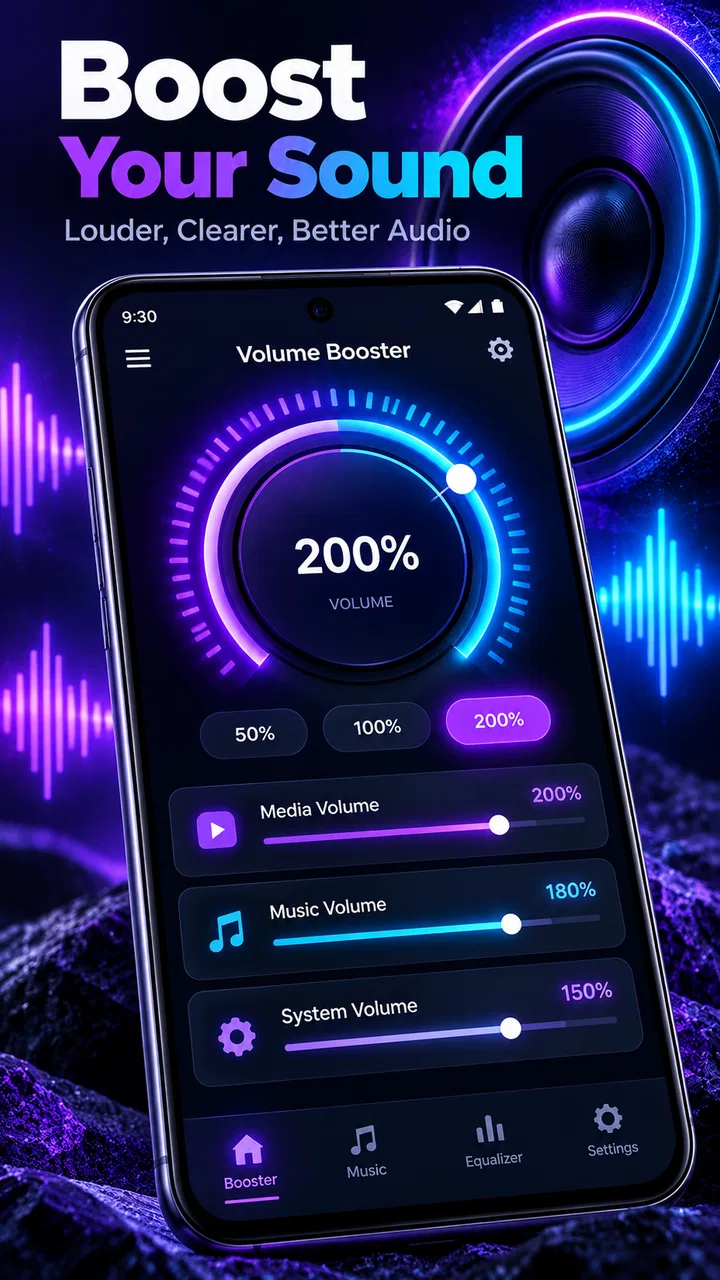
Volume Booster: Sound Booster
- 4.2
- Rating
- 1.00M
- Installs
- Free
- Price
 Analysis by App-foxy
I tried Volume Booster: Sound Booster as a practical listening tool rather than treating it as a magic fix for every audio problem. It belongs to the Music & Audio category, comes from Switch Studio, and focuses on one clear job: giving playback a stronger perceived level while helping sound feel more present through headphones or a phone speaker. That narrow purpose is also its biggest advantage. I could understand what the app was meant to do almost immediately, without working through a large music library, editing timeline, or complicated production interface.
The app is free to install and suitable for Everyone, which makes it easy to consider for casual listening, quick checks of creative work, or moments when a recording seems too quiet. It has reached over one million installs and holds a 4.2 average from around six thousand ratings, so it is not an obscure experiment with no audience. Still, I would approach it as a simple playback aid, not as a replacement for proper mastering, a dedicated equalizer, or a full audio editor.
From a quiet idea to a more usable listening level
My starting point with a volume booster is usually practical: a voice memo is difficult to hear, a rough music sketch sounds weak on a mobile device, or a video needs a quick listening check before I share it. In those situations, I do not necessarily want to open a desktop editor and alter the original file. I want to hear the material more clearly and decide whether the problem is really the recording or simply the playback level.
You May Also Like

 Blood Strike: 2.5 Anniversary
Blood Strike’s Loadouts Turn Every Drop Into a Tactical Gamble
A close look at Blood Strike’s custom loadouts: how fast access to signature weapons reshapes its battle royale rhythm, rewards preparation, and narrows the gap between fights.

 Pandora - Music & Podcasts
Pandora’s Music Is Easy to Start, but Harder to Recover
Pandora’s strength is its low-effort path from a seed to a station. Its weak spot is how much confidence it asks you to place in connection, setup, and quiet recovery.

 8 Ball Pool
 Is Built on Rivalries, Rematches, and Routine
A close look at the rivalries, rematches, shared routines, and unanswered safety questions that turn a quick pool match into a persistent mobile community.

 Samsung Music
’s Quiet Strength Is Playing What You Already Own
Its reach comes less from spectacle than from dependable access to a personal library. That simplicity is both the app’s strongest retention engine and its ceiling.

 AccuWeather: Weather Radar
AccuWeather Review: A Quick, Clear Forecast for Everyday Decisions
For everyday plans, the best forecast is the one you can understand quickly. AccuWeather makes rain timing, radar, and local conditions easy to act on, with a few trade-offs.

 Hill Climb Racing
Why Hill Climb Racing Still Turns Crashes Into One More Run
A tiny car, a bumpy hill and one more upgrade: Hill Climb Racing keeps resurfacing because its simple chaos makes every near-miss feel personal.
More From Our News Desk
View All News


That is where this app makes sense. Its short description, “Volume Booster,” is unusually direct, and the experience follows that promise. I can use it as a listening layer while reviewing audio instead of rebuilding the project from scratch. For a creator working on a short clip, podcast draft, spoken note, or song idea, that distinction matters: increasing what I hear is quicker than permanently changing the source.
One useful habit is to use the booster only after setting the phone or headphone volume to a comfortable normal level. If I begin by pushing every control to its limit, I lose the ability to tell whether the recording itself is balanced. A better workflow is to listen once at the ordinary level, note what is hard to hear, then raise the boost gradually and compare the result. This helps separate a genuinely quiet file from one that merely has a thin or uneven mix.
The app is particularly approachable for people who create on their phone but do not want to learn a full production suite. A student checking narration, a small creator reviewing a social video, or someone listening to a rehearsal recording can get a faster answer than they would from a multitrack editor. I would not call this a complete creative starting point, but it is a useful first listening step before deciding whether a project needs deeper work.
What the first listening pass can reveal
Boosting playback can expose problems that are easy to miss at a low level. Background noise becomes more obvious, harsh high frequencies may stand out, and a voice that seemed acceptable can reveal room echo or inconsistent distance from the microphone. This is one of the app’s less obvious creative uses: it can act as a quick quality-control check, provided I remember that louder does not automatically mean better.
I also found that the result depends heavily on the material. A clean spoken recording may become easier to follow, while a dense music mix can become tiring when pushed. A track with already-strong bass may feel less controlled through small speakers, and a compressed clip can lose comfort before it gains useful detail. The tool therefore works best as a controlled preview, not as an instruction to maximize volume.
For headphones, I would be especially cautious. The app can make a quiet source more audible, but the listener’s ears still receive the final level. I would keep sessions moderate and take breaks rather than using the booster to overcome a noisy environment. If the goal is simply to block outside sound, better-fitting headphones or a quieter room may be a safer and more effective answer than adding more volume.
Building a repeatable review routine
When I use a phone as part of a creative workflow, consistency matters more than a dramatic first impression. I like to review a piece in three passes: normal playback, a modest boost, and then a return to normal playback. The middle pass helps me find buried speech or quiet transitions; the final pass tells me whether the material still feels balanced without assistance. This routine prevents the boosted version from becoming my only reference.
Another practical tip is to compare the same clip through headphones and the phone speaker after adjusting the level. A boost that helps headphones may make a speaker sound brittle or overloaded. That comparison is valuable before handoff because an audience may hear the final work on very different devices. The app cannot replace testing on several systems, but it can make the first pass faster.
For short-form creators, I would use it before publishing rather than after. Listen to the opening sentence, the quietest important moment, and any section where music sits beneath speech. If those parts remain difficult even with a sensible boost, the project probably needs editing: a clearer voice recording, better music balance, or a proper loudness adjustment in the source file.
Making, revising, and handing off creative work
When I’m making or revising a piece of audio, I find it useful to separate the question “Can I hear this clearly?” from “Is the source actually finished?” A temporary listening boost can help me spot buried details without changing the project, but the next step depends on what that check reveals. That distinction matters most when preparing work for someone else to hear.
Where it fits during production
The app’s best role in production is as a temporary monitoring tool. I can play a draft, raise the level enough to inspect details, and decide what needs changing in the original project. This is helpful when I am away from a computer or when the source file is stored in another app. It keeps the decision-making quick: hear the issue, identify whether it is volume or quality, then return to the editor for the real correction.
That separation between monitoring and editing is important. A playback booster does not give me the same control as trimming, compression, equalization, noise reduction, or loudness normalization. If a narrator is too quiet compared with music, I need to adjust those elements in the project itself. If a recording has hiss, boosting it may make the hiss more noticeable rather than removing it. I would not use this app to disguise a weak microphone or a poorly balanced mix.
For an everyday scenario, imagine recording a short product demonstration in a busy room. The voice sounds faint when reviewed at the usual phone level. I can use the booster to check whether the words are understandable and to find moments where the background becomes distracting. But if the voice still competes with the room noise, the next step is not a stronger boost. I would re-record closer to the microphone, lower the background track, or edit the audio properly.
The same logic applies to music sketches. A songwriter may want to know whether a quiet guitar part survives beneath a vocal. Raising playback can answer that quickly, but it cannot repair masking between instruments. The app helps me diagnose the listening problem; it does not perform the arrangement or mix decisions needed to solve it.
Iteration without damaging the source
One of the strongest workflow advantages is that I can experiment with perceived loudness without committing to a permanent change in the creative file. That makes the app useful during iteration. I can listen to the same draft at a normal level, then with assistance, and decide whether the issue is presentation or production. This is safer than exporting multiple altered copies just to discover that the original was fine.
There is a trade-off, though. Temporary playback changes can make a piece seem more exciting than it really is. Louder sound often feels fuller and more detailed for a moment, so I try not to judge the emotional impact of a song or video while the boost is active. For creative decisions such as pacing, tone, and balance, I return to ordinary playback before approving a revision.
I would also avoid treating the app as a reliable loudness meter. A creator preparing audio for publication needs a repeatable technical reference and should use the tools inside a proper editor or mastering application. This booster is better for human perception: can I hear the line, does the transition disappear, is the quiet section still engaging? Those are useful questions, but they are not the same as measuring a final master.
Another non-obvious use is accessibility checking. If a family member or colleague usually listens at a lower level, I can use the app to inspect whether important speech remains understandable without immediately changing the source. That does not replace captions, a clean mix, or accessible design, but it can highlight sections that deserve attention. In a spoken project, clarity is often more important than sheer loudness.
What happens at the handoff stage
Before I send a draft to someone else, I use the booster as a final listening aid rather than as the final processing step. I check the first few seconds, the quietest dialogue, and the ending, then listen again without assistance. If a collaborator only understands the material when it is boosted, I know the file itself needs attention before delivery.
This is also where the app compares unfavorably with a conventional audio editor. An editor can create a corrected export that another person hears exactly as intended. A playback booster changes my listening experience on the device, but it does not turn a weak source into a professionally prepared deliverable. For publishing, the handoff should be the corrected file, not instructions telling the recipient to raise their volume.
For a quick private preview, that limitation is acceptable. If I am sending a rough idea to a friend, checking a voice memo, or reviewing a clip before a meeting, speed matters and the app can help. If I am delivering a podcast episode, music release, client video, or other finished work, I would move to a dedicated editor for the final pass.
Cost, compatibility, and everyday friction
The app is free, which lowers the barrier for trying it during a short listening task. It runs on Android seven or later, so people using older supported phones may still be able to consider it. The current version is 3.0, and the developer listed for the app is Switch Studio. Optional purchases range from $1.99 to $49.99 per item, so I would pay attention to any upgrade screen and decide whether the basic workflow already solves my problem before spending money.
That pricing range also shapes my recommendation. Someone who only needs an occasional listening boost should first see whether the free experience is sufficient. A frequent creator may consider an upgrade if it provides a more comfortable routine, but I would not purchase anything solely because a louder result feels impressive during the first minute. The real question is whether it improves repeated work without encouraging unsafe listening levels or replacing proper editing.
There is some unavoidable friction in using a tool that sits between the source and the listener. The final result can vary with headphones, speakers, operating-system controls, and the original recording. That means I would not promise a collaborator that their audience will hear the same effect. I also would not use it as evidence that a file is ready for release. Its value is immediate monitoring, not universal playback control.
Who should use it, and who should choose something else
I think this app suits casual listeners, mobile creators, students reviewing recorded work, and anyone who needs a quick way to inspect quiet audio. It is especially useful when the source does not need permanent alteration and the immediate question is simply whether important details can be heard. The straightforward focus makes it less intimidating than a full audio workstation.
I would skip it if I need to edit waveforms, remove noise, balance several tracks, normalize a batch of files, or export a technically consistent master. In those cases, a dedicated audio editor is the better choice. A system equalizer may also be preferable for someone who wants a stable listening profile across many apps rather than a temporary boost for a specific review session.
Compared with ordinary phone volume controls, the app offers a more focused way to examine material that feels too quiet. Compared with a full production tool, it is much faster but far less capable. Compared with headphones that isolate outside noise, it addresses the symptom rather than the environment. I see it as a small link in a creative chain: useful before editing, useful during review, and limited at final delivery.
My final verdict is positive but deliberately measured. Volume Booster: Sound Booster does one narrow job in a convenient way, and that is enough to make it worthwhile for quick listening checks. I would recommend it to a friend who wants to hear a quiet recording more clearly or inspect a mobile draft before deciding what to change. I would also remind that friend to raise the level gradually, compare the result with normal playback, and never confuse a louder preview with a finished mix.
For me, the app works best when it supports judgment rather than replacing it. It can reveal buried speech, expose distracting noise, and make a rough creative idea easier to assess. It cannot repair the source, guarantee a consistent final export, or make every headphone and speaker behave alike. Used with those boundaries in mind, it is a handy free starting point for mobile audio review, while serious production and publishing still belong in a proper editing workflow.
FAQs for Volume Booster: Sound Booster
01What is Volume Booster: Sound Booster and how does it work?
Volume Booster: Sound Booster is an app designed to enhance the sound output of your device. By manipulating audio settings, it amplifies the volume beyond the default maximum level, allowing you to enjoy louder music, videos, and calls. It works by optimizing the sound quality and boosting the audio without distorting it.
02Is Volume Booster: Sound Booster safe for my device?
While Volume Booster: Sound Booster is designed to operate safely, excessive volume levels can potentially harm your device’s speakers or your hearing. It’s important to use the app responsibly and avoid maxing out the volume for prolonged periods. Always follow the app’s guidelines to ensure safe usage.
03Does Volume Booster: Sound Booster work with all audio sources?
Yes, Volume Booster: Sound Booster is compatible with most audio sources on your device, including music players, video apps, and calls. However, its effectiveness may vary depending on the specific device and operating system. Always check the app’s compatibility details before downloading.
04Are there any in-app purchases or ads in Volume Booster: Sound Booster?
The app may offer in-app purchases for premium features, such as ad removal or advanced settings. The free version often contains ads that support the developers. Review the app’s description on the app store for details about purchases and advertisements to decide if it suits your preferences.
05Can Volume Booster: Sound Booster improve sound quality as well as volume?
Yes, besides increasing the volume, Volume Booster: Sound Booster is designed to enhance overall sound quality. It aims to deliver clearer audio with more depth by adjusting various sound parameters. However, the extent of improvement can depend on your device’s hardware capabilities.
Pros
- Significantly enhances audio volume.
- Simple user interface for easy use.
- Compatible with most media apps.
- Customizable sound settings available.
- Lightweight and doesn't drain battery.
Cons
- May distort sound at high volume.
- Ads can be intrusive at times.
- Limited features in free version.
- Compatibility issues on some devices.
- No built-in equalizer for fine-tuning.

Volume Booster: Sound Booster
Gallery